
Why is my eSIM data going so fast?
Mobile data can disappear quickly when apps use it in the background or when high-data activities are running. Common causes include photo backups, app updates, video streaming, social feeds, cloud sync and hotspot use.
Type check data in Atli first to see how much data remains.
How do I see which apps use the most data?
- iPhone: Settings › Cellular / Mobile Data, then review the app usage list.
- Samsung Galaxy: Settings › Connections › Data usage › Mobile data usage.
- Google Pixel: Settings › Network & internet › SIMs › App data usage.
Your phone may be counting a longer period than your current Atli plan, so its total can be different from the balance shown in Atli.
How do I reduce background data on iPhone?
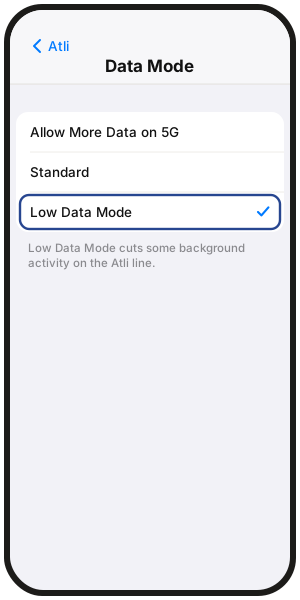
Turn on Low Data Mode for the Atli line:
Settings › Cellular / Mobile Data › Atli › Data Mode › Low Data Mode (on some iOS versions, Low Data Mode appears directly under the Atli line).
Low Data Mode reduces some automatic and background network activity.
How do I reduce background data on Android?
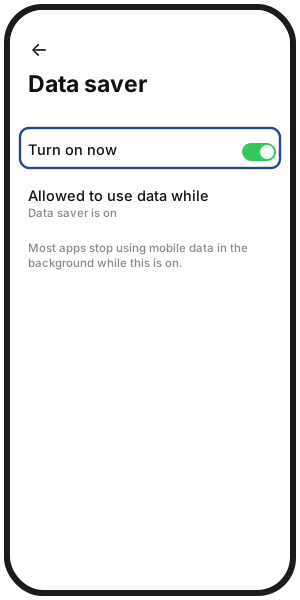
- Samsung Galaxy: Settings › Connections › Data usage › Data saver
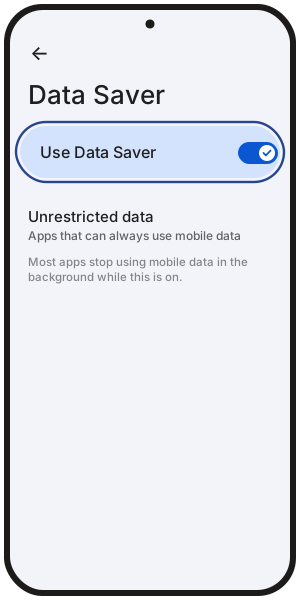
- Google Pixel: Settings › Network & internet › Data Saver
Data Saver limits background mobile-data use for many apps. Menu names can vary on other Android phones.
For details on sharing your connection, see Can I use a hotspot on a travel eSIM?.
How do I stop backups and updates using mobile data?
Check photo backup, cloud storage, app-store and system-update settings and set large transfers to Wi-Fi where possible.
The exact controls depend on the apps and phone you use.
What uses the most data?
Video streaming, large downloads, cloud backups, video calls and hotspot use can consume data quickly. Higher video quality generally uses more data.
Anything used by a device connected to your phone's hotspot comes from the same Atli plan allowance. See How much data do apps use? for actual consumption estimates.
FAQ
Will WhatsApp and maps still work with Low Data Mode or Data Saver on?
Yes, normally. These modes mainly reduce background activity. Apps you actively use can still access mobile data, although some background features may be limited.
Why does my phone show a different number from Atli?
Your phone and Atli may be measuring different time periods. Your phone keeps its own usage statistics, while the Atli usage card shows the balance for your Atli plan.
Use the Atli card as the reference for how much plan data remains.
Can my phone warn me before I use too much?
Android phones can usually set a mobile-data warning or limit in their data-usage settings. Menu names vary by device:
- Samsung Galaxy: Settings › Connections › Data usage › Billing cycle and data warning
- Google Pixel: Settings › Network & internet › SIMs › Data warning & limit
Is there a plan that doesn't run out?
Atli offers Unlimited plans in some destinations. They provide unlimited data for the number of days you buy, but the plan still ends when that validity period ends.
You get 3 GB of high-speed data in each 24-hour period, then speeds are reduced to 3 Mbps until the next reset. The 3 GB resets every 24 hours from when the plan started. See Unlimited plans.